Mobile from atoto in your Account Ready.
atoto World Cup Mobile Sportsbook with APK & iOS Browser
A user opens the atoto app on their Android phone, logs in with their account credentials, and navigates to the World Cup fixture list. Within seconds, they see game information, team lineups, and a feed of in-play markets. We've built our World Cup coverage around mobile-first access — whether you're using our Android APK or browsing via Safari on iOS, the experience stays smooth and responsive.
Open an account
World Cup
- Live and
- Category
- Live Table / Card
- RTP
- high
Our World Cup section on atoto brings together tournament fixtures, live commentary, and real-time market updates. We cover all stages of the competition — group play, knockout rounds, and finals — with detailed match information and multiple betting angles. Your account data syncs instantly across devices, so you can start a session on your phone and pick it up on desktop without re-entering credentials.
atoto World Cup Coverage and Mobile Access
The World Cup draws millions of viewers globally, and we've designed atoto to serve fans across all time zones and devices. Our mobile app for Android and our iOS browser interface both display the same fixture calendar, live scores, and market depth. When you log in on your phone, we retrieve your account balance, recent bets, and saved preferences from our servers — no data is stored locally, so your account stays secure even if you lose your device.
We organize World Cup matches by date, team, and market type. You can filter by your preferred leagues or regions — for example, if you follow Liga 1 teams competing in World Cup qualifiers, we highlight those fixtures. Our push notifications alert you to kickoff times, live-goal updates, and new market openings, all configurable from your account settings.

On Android, you download our APK directly to your phone and install it in seconds. The app runs natively on your device, using minimal data and battery. On iOS, you visit atoto.app in Safari, bookmark the page, and access the same full feature set through your browser. Both paths lead to the same account — your balance, transaction history, and betting slip sync in real time.
We support account login via email or phone number, with two-factor authentication available for added security. Once logged in, your session persists for a set period, and we automatically log you out after inactivity to protect your account on shared devices.
Our World Cup section includes match schedules, team rosters, historical head-to-head records, and live commentary feeds. We update odds continuously as matches progress, and our mobile interface refreshes without requiring a manual page reload. If your connection drops, we cache the last known state so you can see recent activity when you reconnect.
- game information
- Real-time market prices updated every few seconds during matches, reflecting team performance and injury news.
- In-play markets
- Betting options that open and close dynamically as the match unfolds — next goal scorer, corner count, yellow cards.
- Fixture calendar
- Complete World Cup schedule with kickoff times converted to your local timezone, synced to your phone's clock.
atoto Mobile Setup and World Cup Navigation
Setting up atoto on your phone takes three steps. First, download the Android APK from our website or open atoto.app in your iOS browser. Second, create an account or log in with your existing credentials. Third, verify your identity through our KYC process — we ask for your name, date of birth, and a valid ID number. This verification protects both you and us from fraud and ensures compliance with local regulations.
Once verified, you can deposit funds using one of our supported payment methods. We accept DANA, e-wallet, mobile banking, local payment, online payment, e-wallet, and direct bank transfers via mobile banking, local payment, online payment, and e-wallet. Each payment method processes instantly or within a few minutes, and we send you a confirmation message to your registered phone number. Your deposit appears in your account balance immediately, ready to use on World Cup markets.
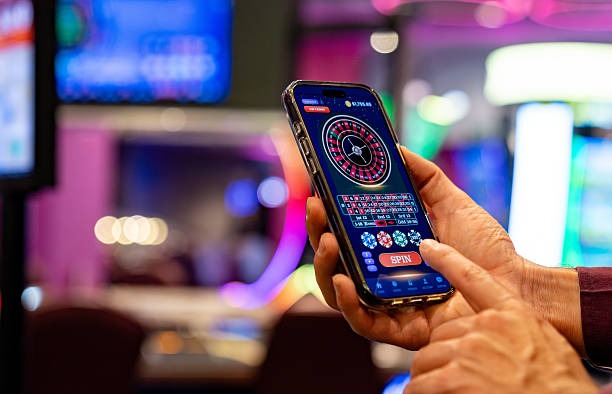


To navigate World Cup matches on atoto, open the app or browser and tap the "World Cup" section from our main menu. You'll see a calendar of upcoming fixtures, sorted by date and time. Tap any match to view detailed odds, team information, and available markets. We highlight popular markets — match winner, over/under goals, both teams to score — at the top, with additional options below.
When you place a bet, we display your stake, potential return, and current odds on your betting slip. You review the slip before confirming, and we process your bet instantly. Your bet appears in your account history with a timestamp and match details. If the match is live, we update your bet status in real time — if your selection wins, we credit your account immediately after the final whistle.
Withdrawals work the same way as deposits. You request a withdrawal through your account, select your preferred payment method, and enter the amount. We review your request to verify your identity and check for any pending bets or account holds. Once approved, we send your funds back to your original payment method — mobile banking, local payment, online payment, e-wallet, mobile banking, or your bank account. Processing times vary by method, but most withdrawals complete within standard business hours.
Key takeaways
- Download our Android APK or use atoto.app in Safari on iOS for full World Cup access.
- Complete KYC verification with your name, date of birth, and ID number to unlock deposits and withdrawals.
- Deposit via local payment, online payment, e-wallet, mobile banking, local payment, online payment, or direct bank transfer.
- Navigate World Cup fixtures by date, view game information, and place bets on multiple markets.
- Withdraw your winnings back to your original payment method within standard processing windows.
atoto World Cup Tips and Account Management
During major tournaments like the World Cup, traffic on our platform increases significantly. We've optimized our servers to handle peak load, but we recommend logging in during off-peak hours if you experience slowness. Our mobile app uses less bandwidth than our desktop site, so if you're on a slower connection, the app often performs better.
We send push notifications for World Cup events — match kickoffs, live goals, and new market openings. You control which notifications you receive through your account settings. If you're in Jakarta, Surabaya, Bandung, or Medan, we can tailor notifications to local match times so you don't miss fixtures that matter to you. You can also mute notifications during work hours or sleep time.
Your account password is encrypted and never stored in plain text on our servers. If you forget your password, we send a reset link to your registered email address. Click the link, create a new password, and log back in. We recommend using a strong password — at least 12 characters, mixing uppercase, lowercase, numbers, and symbols — and never sharing it with anyone, including atoto staff.
We track your account activity for security and compliance. Every login, deposit, withdrawal, and bet is logged with a timestamp and your device information. If we detect unusual activity — for example, a login from a new country or a large withdrawal request — we may ask you to verify your identity before processing. This protects your account from unauthorized access.
If you have questions about World Cup rules, market types, or how to use atoto, our English-language support team is available through the app. We respond to inquiries within standard business hours and can help with account issues, payment questions, or technical problems. You can also visit our FAQ section for common questions about deposits, withdrawals, and account verification.
Our services are available only where local law permits. Users are responsible for verifying that access and use comply with their own jurisdiction's law. We do not offer our services in jurisdictions where online wagering is prohibited.
Whether you're following the World Cup from Jakarta, Medan, or anywhere else in a supported region, atoto mobile bankingngs live markets and mobile convenience to your phone. Our platform handles the technical details — encryption, data sync, payment processing — so you can focus on the matches and markets that interest you.